Automation
Forkline can automatically create AI-powered tasks in response to events from your git provider. The goal is to turn routine repository events into fast, reviewable follow-up work.
Overview
Automation lets you:
- Respond to
@forklinementions in issues and pull requests - Repair failed CI runs automatically
- Resolve merge conflicts after base-branch changes
- Review pull requests as they open
- Control who is allowed to trigger the workflows
Info: Automation requires configured webhooks. GitHub App connectors install these automatically, while GitLab and Forgejo connectors need manual webhook setup.
Bot Mentions
@forkline mention in an issue or PR
Create a scoped agent task from the conversation context
Plan, code, or review work posted back to the thread
CI Auto-Fix
Failed check run, pipeline, or status event
Inspect logs, reproduce the failure, and attempt a fix
Commit or comment explaining what changed
Merge Conflicts
Pull request or merge request becomes unmergeable
Resolve conflicts against the updated base branch
Clean branch state pushed back to the review thread
Auto PR Review
New pull request or merge request opens
Analyze the diff using your configured review scope
Findings, suggestions, or direct follow-up changes
Automation Types
Bot Mentions
Mention @forkline or @forkline-bot in an issue or pull request when you want Forkline to respond to the thread context.
- Best for: implementation requests, debugging help, summarization, and follow-up work
- Trigger shape: issue bodies, issue comments, pull request bodies, and pull request comments
- Learn more: Bot Mentions
CI Auto-Fix
CI auto-fix watches for failing validation events and attempts a repair loop.
- Best for: lint failures, type errors, straightforward test failures, and simple build breakages
- Trigger shape: failed check runs, pipeline events, or status events
- Learn more: CI Auto-Fix
Merge Conflict Auto-Fix
Merge conflict automation starts when an otherwise valid pull request or merge request stops being mergeable.
- Best for: base-branch drift after parallel development
- Trigger shape: PR or MR updates that indicate conflicts
- Learn more: Merge Conflicts
Auto PR Review
Auto PR review gives you a repeatable first-pass review when a pull request opens.
- Best for: security checks, performance review, documentation review, and consistent repo policy checks
- Trigger shape: newly opened pull requests or merge requests
- Learn more: Auto PR Review
Configuration
Trigger Policies
Control who can trigger automation on your repositories:
| Policy | Who Can Trigger | Best For |
|---|---|---|
| Owner only | Only you | Personal repositories |
| Collaborators | Users with write access | Shared repositories |
| Allowlist | Specific usernames | Controlled access |
| Anyone | All users | Open source |
Learn more about Trigger Policies
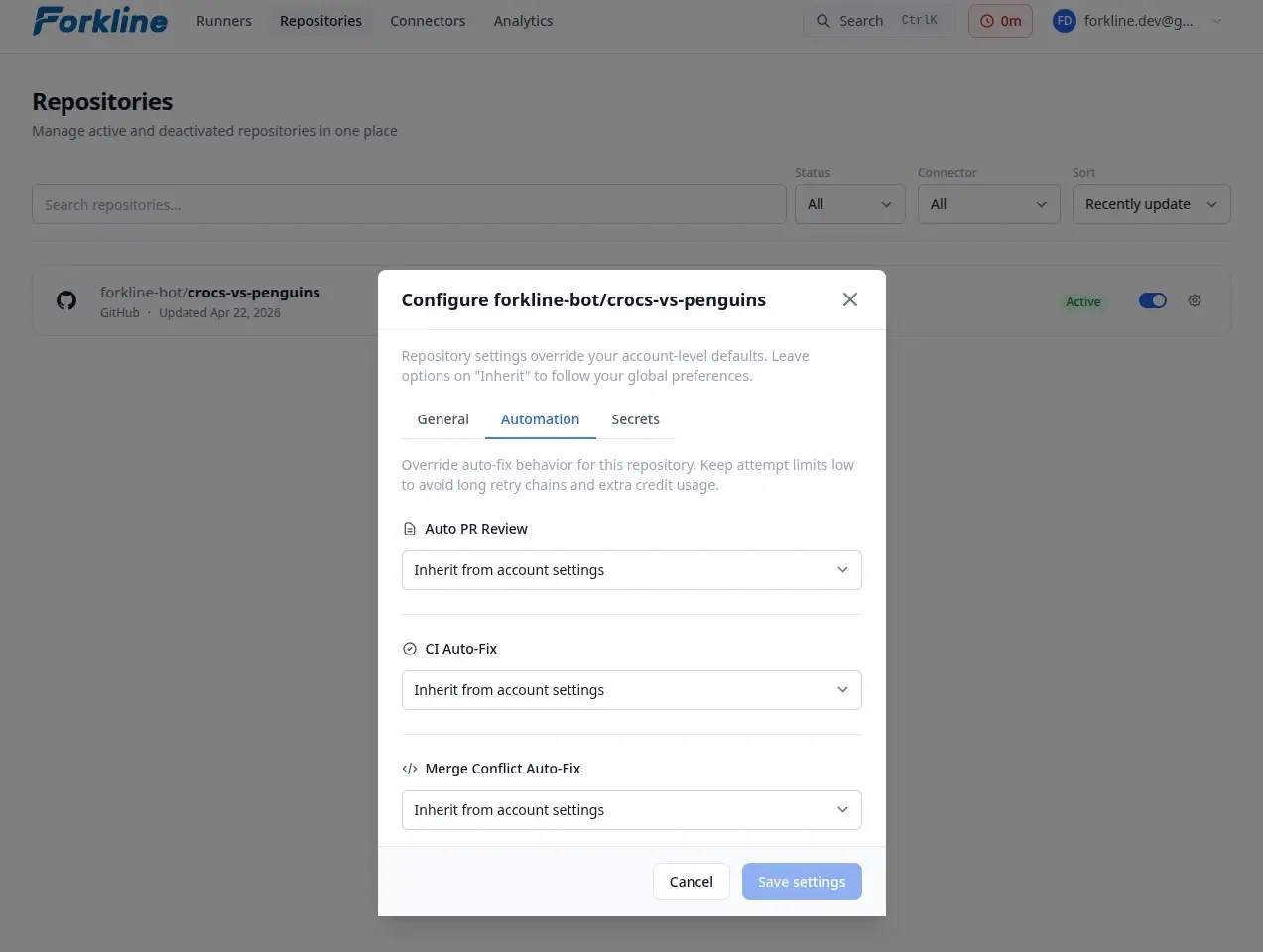
Per-Repository Settings
Each repository can configure:
| Setting | Description |
|---|---|
| CI Auto-Fix | Enable or disable automatic CI failure fixing |
| Merge Conflict Auto-Fix | Enable or disable automatic conflict resolution |
| Max Attempts | Limit fix attempts per PR to prevent runaway costs |
| Skip Labels | Add labels like no-ci-auto-fix to opt out |
Prerequisites
- Connect your GitHub, GitLab, or Forgejo account
- Activate a repository in Forkline
- Configure the required webhook events
- Make sure you have enough balance for the resulting work
Webhook Events
| Event Type | Required For |
|---|---|
| Issues | Bot mentions in issues |
| Issue comments | Bot mentions in comments |
| Pull requests | CI auto-fix, merge conflicts, auto PR review |
| PR comments | Bot mentions in PRs |
| Check runs or pipeline events | CI auto-fix |
Tip: See the Webhooks guide for provider-specific event names.
Comparison
| Automation | Trigger | Task Type | Configurable |
|---|---|---|---|
| Bot Mentions | @forkline mention |
IssueResponse, PrReview | No, always on when webhooks are configured |
| CI Auto-Fix | CI failure webhook | CiFix | Yes |
| Merge Conflict Fix | Pull request conflict detected | MergeConflictFix | Yes |
| Auto PR Review | Pull request opened | AutoPrReview | Yes |