Trigger Policies
Control who can trigger automation on your repositories.
Overview
Trigger policies determine:
- Who can mention
@forklineto create tasks - Whose CI failures trigger auto-fix
- Who can trigger automation on your repositories
Info: Without trigger policies, anyone who can comment on your repository could trigger automation.
Policy Types
| Policy | Who Can Trigger | Best For |
|---|---|---|
| Owner only | Only you | Personal repositories |
| Collaborators | Users with write access | Shared repositories |
| Allowlist | Specific usernames | Controlled access |
| Anyone | All users | Open source |
Owner Only
Only the repository owner can trigger automation.
Collaborators (Default)
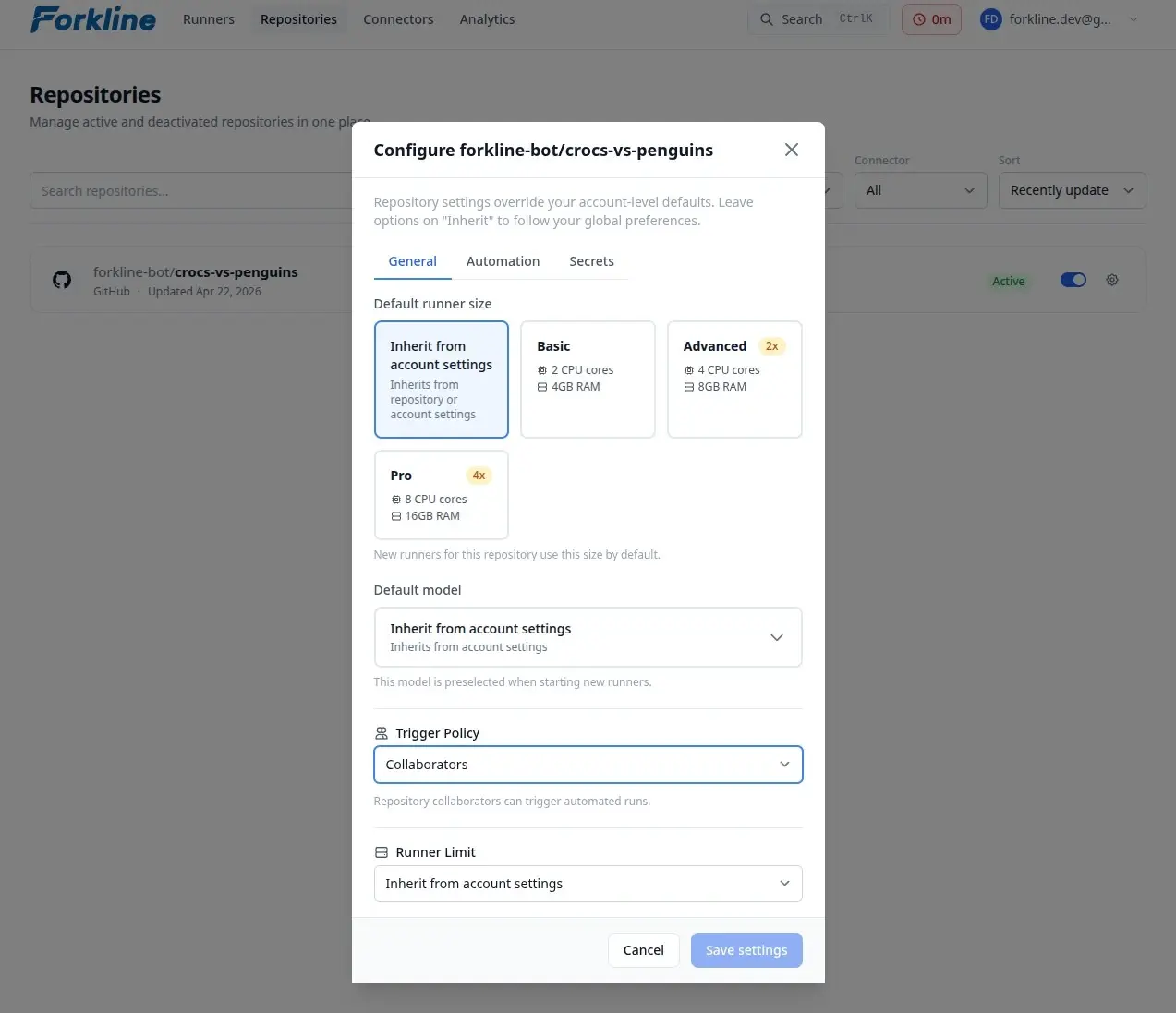
Users with write access to the repository can trigger.
Allowlist
Only specified usernames can trigger automation.
Anyone
Any user who can comment can trigger automation.
Warning: This policy allows anyone to trigger automation. Use with caution on public repositories.
Configuring Policies
- Navigate to Repositories
- Find your repository
- Click Settings on the repository card
- In the modal, find Trigger Policy
- Select the policy
- If allowlist, add usernames
- Click Save