Repositories
Repositories in Forkline link your git repositories to runners, storing configuration, secrets, and automation settings.
Overview
A Forkline repository represents a connection between:
- Your git repository (GitHub, GitLab, Forgejo)
- Runner configuration (size, model, setup scripts)
- Secrets (API keys, credentials)
- Automation settings (webhooks, auto-fix)
Info: Repositories sync automatically from your git connectors. Activate them to start runners.
How Repositories Work
Automatic Sync
When you connect a git provider, Forkline automatically discovers your repositories:
- Connect a git provider on the Git Providers page
- Forkline syncs accessible repositories
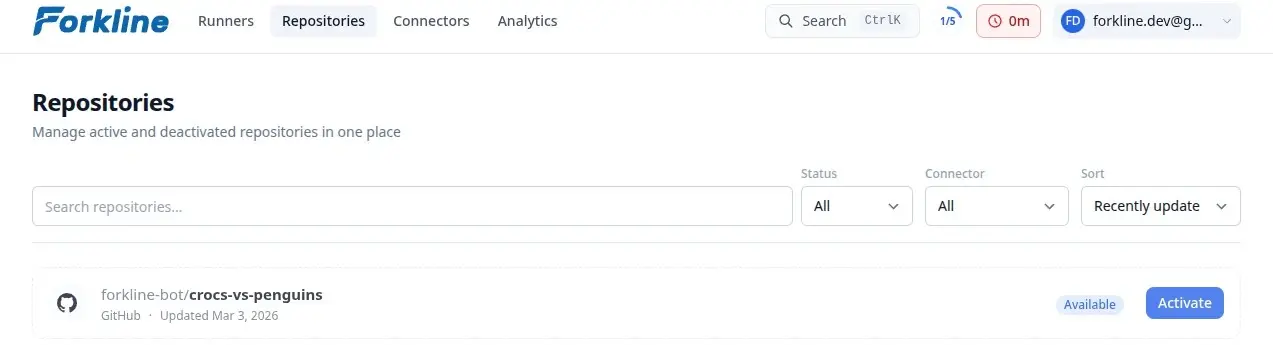
- Repositories appear on the Repositories page as “Available”
Repository States
| State | Description | Actions Available |
|---|---|---|
| Available | Synced but not activated | Activate to enable runners |
| Active | Ready for runners | Start runners, configure settings |
| Deactivated | Disabled, pending deletion | Reactivate or delete permanently |
Activating a Repository
- Navigate to Repositories
- Find the repository in the list
- Click the Activate button
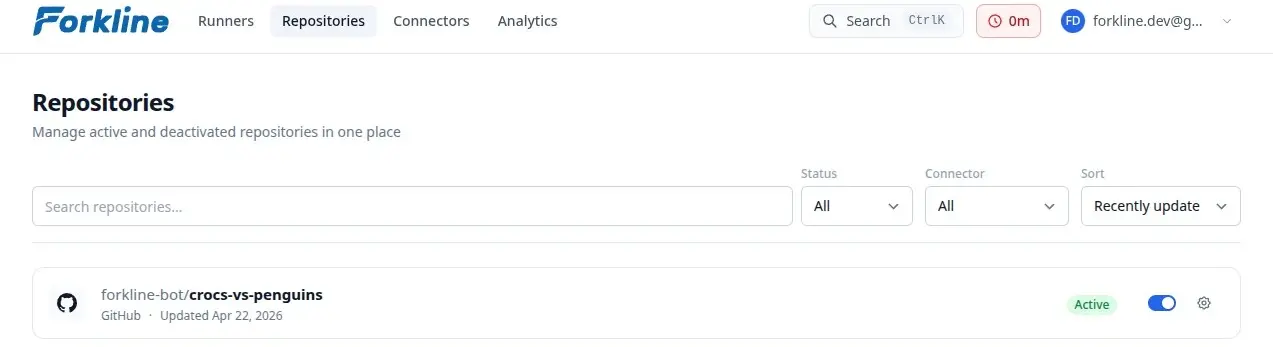
Once activated, you can:
- Start runners
- Configure settings
- Add secrets
- Enable automation
Note: Only activated repositories can run tasks. Available repositories are synced but not configured.
Repository Settings
Access settings for an active repository:
- Click Settings on the repository card
- Configure:
- Default runner size
- Default model
- Automation options
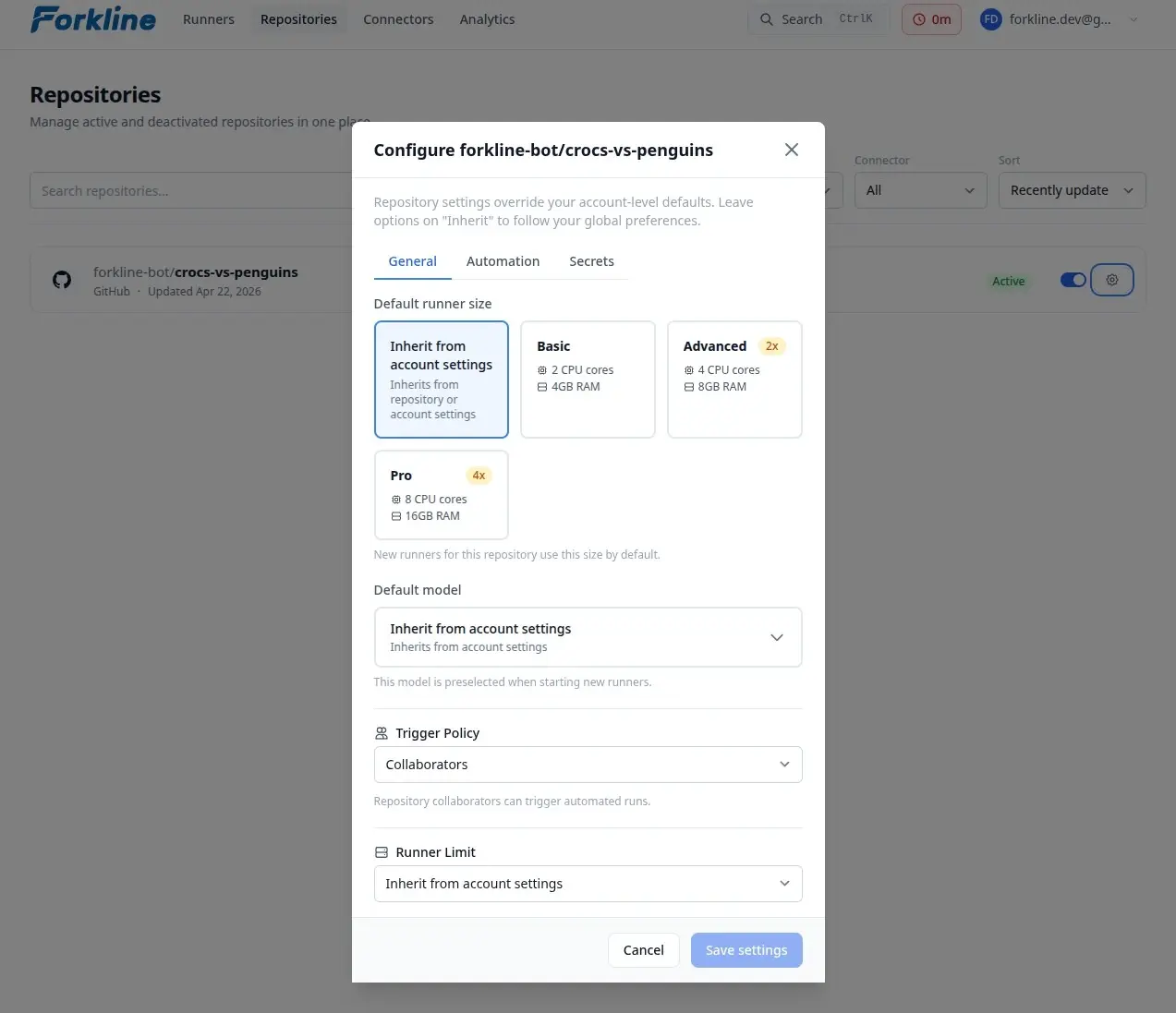
The settings modal has three tabs:
- General: Configure default runner size and model
- Automation: Enable auto-fix features and set trigger policies
- Secrets: Store sensitive credentials
| Setting | Description | Default |
|---|---|---|
| Default Runner Size | Size for new runners | Account default |
| Default Model | AI model for runners | Account default |
Deactivating a Repository
When you deactivate a repository:
- Click the repository status button to deactivate it
- Confirm the deactivation
Effects:
- All active runners are stopped
- Configuration is retained for 7 days
- After 7 days, configuration is permanently deleted
Tip: Deactivated repositories show as “Available” and can be reactivated within 7 days.
Permanently Deleting
To permanently remove a repository’s configuration:
- Find a deactivated repository
- Click Delete config
- Confirm the action
Warning: This permanently removes the repository configuration, secrets, and any remaining runners. Your git repository is NOT affected.