Runner Sizes
Choose the smallest runner that keeps your normal work responsive. Bigger runners cost more per minute, but they also clear heavier tasks faster.
Quick edits and lightweight work
Use Basic for documentation, small fixes, and short tasks where startup cost matters more than raw throughput.
Default choice for most repositories
Advanced balances runtime cost with enough compute for feature work, tests, and day-to-day engineering loops.
Heavy builds and large codebases
Pick Pro when memory pressure, monorepo tooling, or full validation pipelines would slow smaller runners down.
Tip: Start with Advanced unless you already know the repository is extremely small or unusually heavy.
How to Choose
Pick Basic When
- You are handling documentation or tiny fixes
- The repository is small and build steps are lightweight
- You want the lowest billing rate for short tasks
Pick Advanced When
- You are doing normal feature work
- You expect to run tests or moderate validation steps
- You want the best default balance of cost and speed
Pick Pro When
- You work in a large monorepo or memory-heavy codebase
- Builds, indexing, or test suites bottleneck smaller runners
- Faster completion matters more than the higher multiplier
Quick Lookup
| Situation | Recommended Size |
|---|---|
| Fix a typo or docs issue | Basic |
| Implement a feature in a normal codebase | Advanced |
| Refactor a medium-sized module | Advanced |
| Run a heavy test suite or build | Pro or Advanced |
| Work in a large monorepo | Pro |
Codebase Heuristics
| Lines of Code | Suggested Size |
|---|---|
| Under 10,000 | Basic |
| 10,000 - 100,000 | Advanced |
| Over 100,000 | Pro |
Note: These are starting points, not hard rules. Language, build tooling, dependency graph size, and repository layout all matter.
Setting a Default Size
Account Default
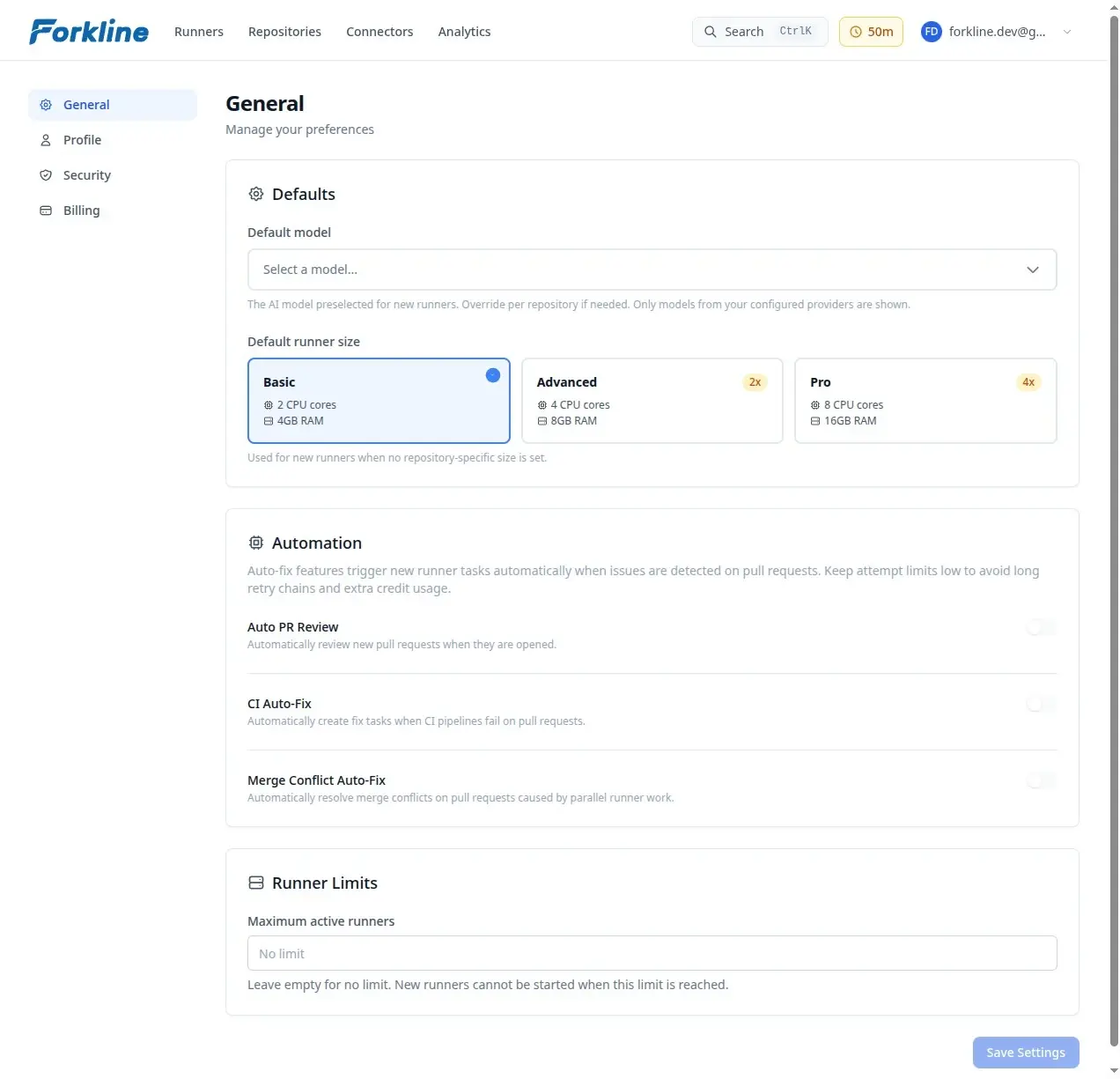
Set your preferred default for new runners:
- Go to Settings -> General
- Find Default Runner Size
- Select Basic, Advanced, or Pro
Repository Override
Override the account default for a specific repository:
- Navigate to Repositories
- Find the repository
- Click Settings on the repository card
- Set Default Runner Size
- Click Save
Tip: Repository defaults are useful when one repo consistently needs more compute than the rest of your work.
Changing Size Later
Runner size is fixed for the lifetime of a session. To switch sizes:
- Stop the current runner
- Start a new runner with a different size
Warning: Stopping a runner discards uncommitted changes. Push or otherwise preserve work before you stop the session.
Cost Optimization
- Right-size your runners instead of defaulting to Pro
- Stop runners when they are idle
- Use repository defaults so recurring work starts with the right size