Connecting to Runners
Once your runner is running, connect through the interface that best matches the task.
Connection methods
Browser
Fastest path into a runner
Best for quick prompts, browsing files, and using the built-in terminal without installing anything locally.
Chat · Files · Terminal
Desktop App
Best for longer editing sessions
Use the OpenCode app when you want an IDE-style experience, local file sync, and interactive collaboration with the agent.
IDE · Sync · Multi-terminal
Terminal
Fits scriptable CLI workflows
Connect from the command line when you want automation, shell-first workflows, or direct control over the session.
CLI · Scripting · Shell access
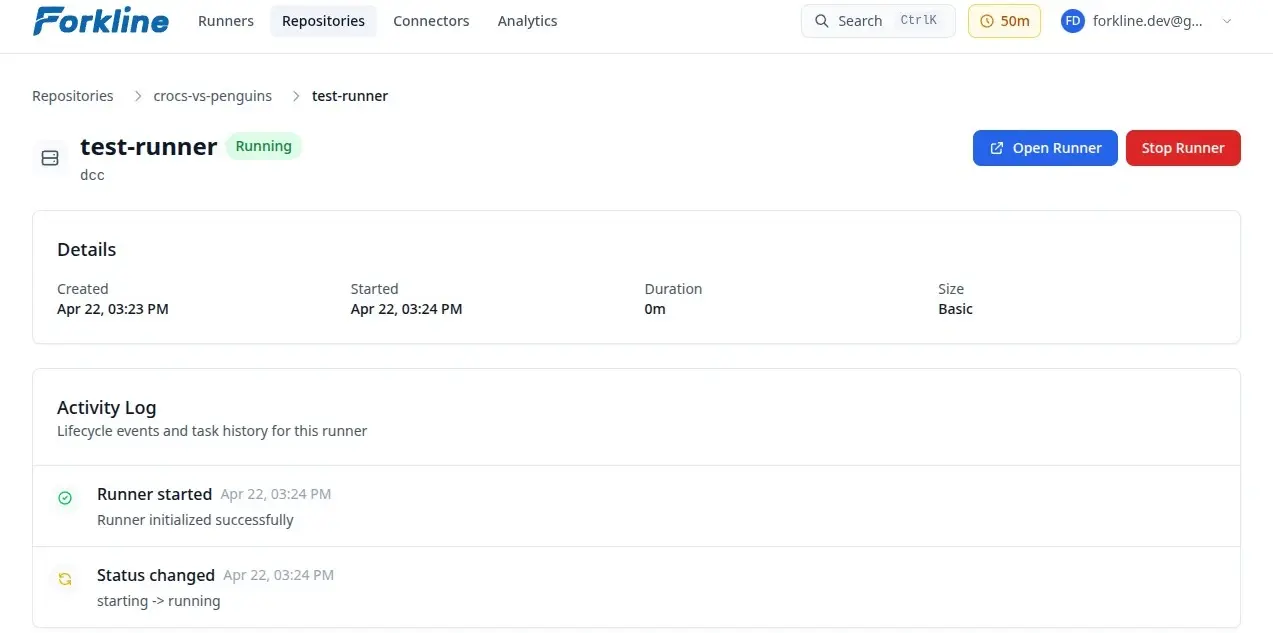
Browser Connection
The browser is the fastest way to get into a runner:
- Navigate to the runner in Forkline
- Click the runner URL
- The runner interface opens in your browser
Browser Features
- Chat interface: Send prompts and receive responses
- File browser: Navigate and inspect your repository
- Terminal: Execute commands in the runner environment
- Task history: Review previous interactions
Tip: Choose the browser when you want zero setup and a fast way to inspect or direct a running session.
Desktop Application
Use the OpenCode desktop app for deeper interactive work.
Prerequisites
- Download the desktop app from opencode.ai
- Get your OpenCode password from the runner panel in Forkline
Connecting
- Open the desktop app
- Enter the runner URL
- Enter your OpenCode password
- Click Connect
Desktop Features
- Full IDE: Syntax highlighting and code navigation
- Local file sync: Edit locally and sync with the runner
- Split terminal: Run multiple shell sessions
- Real-time collaboration: Watch changes as the agent works
Terminal Connection
Connect from the OpenCode CLI:
# Install OpenCode CLI
npm install -g opencode

# Connect to runner
opencode connect <runner-url> --password <password>
Runner Password
Each runner session has its own password:
- Find it in the runner panel in Forkline
- Keep it secret and never commit or share it
- Treat it as specific to that one runner session