Runners
Runners are isolated cloud environments where AI agents work on your code.
Pending
The runner record exists and is waiting for environment setup to start.
Starting
Forkline prepares the repository, tools, and connection surfaces.
Running
The workspace is ready for browser, app, or CLI access.
Stopped
The session ended normally because you or a policy stopped it.
Failed
Startup or execution hit an error that needs review.
What a Runner Does
A runner gives Forkline a short-lived workspace where it can:
- Clone your repository
- Understand your project structure and configuration
- Execute the task you requested
- Run tests, linters, builds, and scripts
- Push commits or open pull requests when the job is done
Info: Runners are ephemeral. They are created when you start one and destroyed when you stop it. Persistent state lives in your repository, not inside the runner.
Understanding Runner States
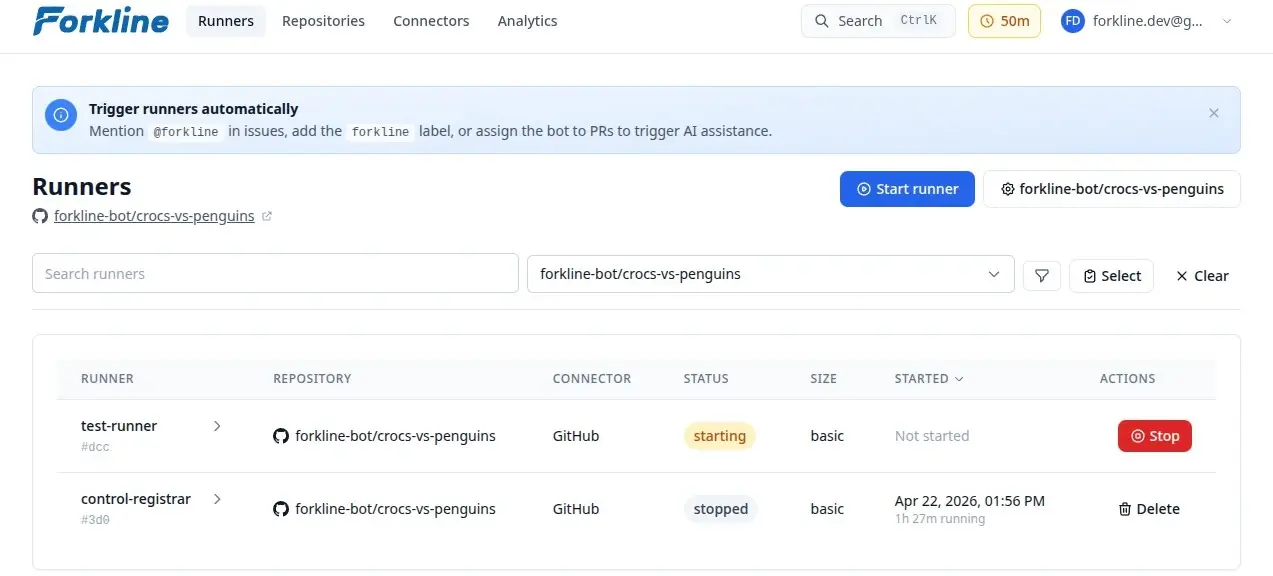
The most important transition is from Starting to Running. While a runner is starting, Forkline is preparing the repository, applying setup logic, and making the environment ready to connect. Once it is running, you can open it in the browser, desktop app, or terminal.
If a runner stops unexpectedly, check whether it ended in Stopped because you or a policy ended it, or Failed because startup or execution hit an error.
Size at a Glance
Quick edits and lightweight work
Use Basic for documentation, small fixes, and short tasks where startup cost matters more than raw throughput.
Default choice for most repositories
Advanced balances runtime cost with enough compute for feature work, tests, and day-to-day engineering loops.
Heavy builds and large codebases
Pick Pro when memory pressure, monorepo tooling, or full validation pipelines would slow smaller runners down.
For most repositories, Advanced is the best default. Move down to Basic for documentation or quick edits. Move up to Pro when a larger codebase, build pipeline, or memory-heavy tooling would slow smaller runners down.
See Runner Sizes for detailed guidance.
What Runners Can Do
Runners can handle the full engineering loop: understand the codebase, plan the work, make changes, interact with your git provider, and run the commands needed to verify results.
Analysis and Planning
- Explore and understand your codebase
- Analyze issues, pull requests, and existing changes
- Break work into steps and plan implementation
- Investigate failures and propose fixes
Code Changes
- Edit existing code or add new files
- Implement features, fix bugs, and refactor safely
- Follow your project’s structure, conventions, and tooling
- Update tests and documentation when needed
Repository Workflows
- Create branches, commits, and pull requests
- Comment on issues and pull requests
- Label issues, triage work, and assign tasks to Forkline
- Open, close, reopen, review, and merge pull requests
- Check CI status, inspect logs, and analyze failures
- Trigger workflows and coordinate work across GitHub, GitLab, and Forgejo
Running Commands
- Execute tests, linters, formatters, and builds
- Run project-specific scripts and CLI tools
- Debug issues from logs, traces, and command output
- Perform infrastructure, automation, and browser-based workflows when needed
Security
Runners are isolated for security:
- Per-user isolation: Your runners only access your repositories
- Secure credentials: Secrets are injected via environment variables
- Ephemeral storage: No data persists after the runner stops
Resource Limits
Control how many runners can run simultaneously:
- Go to Settings -> General
- Set Maximum active runners